
Configuration parity
Catch environment configuration drift before deployment.
Environment configuration drift occurs when development, staging, production, or example files no longer define the same expected keys. EnvDesk compares files by key, highlights missing and different entries, and gives developers a reviewable path for correcting local files without copying an entire configuration between environments.
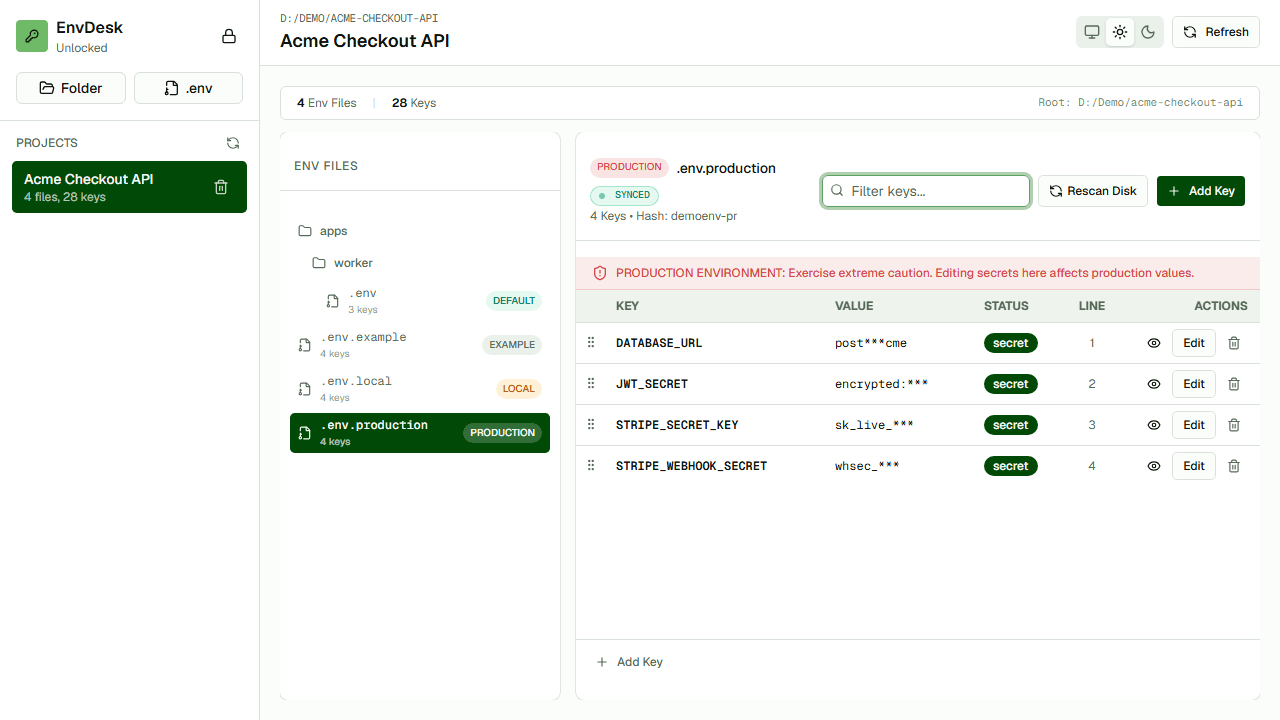
Make drift visible
Turn scattered configuration files into a comparable key inventory.
Separate presence from value
Check whether required keys exist before deciding whether values should match.
Review the correction
Inspect the exact write instead of copying an entire file between environments.
How the workflow works
- 01Choose a reference such as .env.example or a known environment.
- 02Compare its keys against the target environment.
- 03Classify missing, extra, and intentionally different entries.
- 04Correct only confirmed drift and review the file write.
When it is useful
- Release-readiness checks
- Onboarding a project on a new machine
- Keeping .env.example aligned with required application variables
Questions developers ask
Should all environment values match?
No. URLs, credentials, feature flags, and other values often differ intentionally. Parity checks should begin with required keys and then review values in context.
Can comparison prove a configuration is correct?
No. A diff reveals inconsistency; application validation, deployment tests, and secret-management controls are still necessary.