Local-first workflow
Manage environment files without creating a second source of truth.
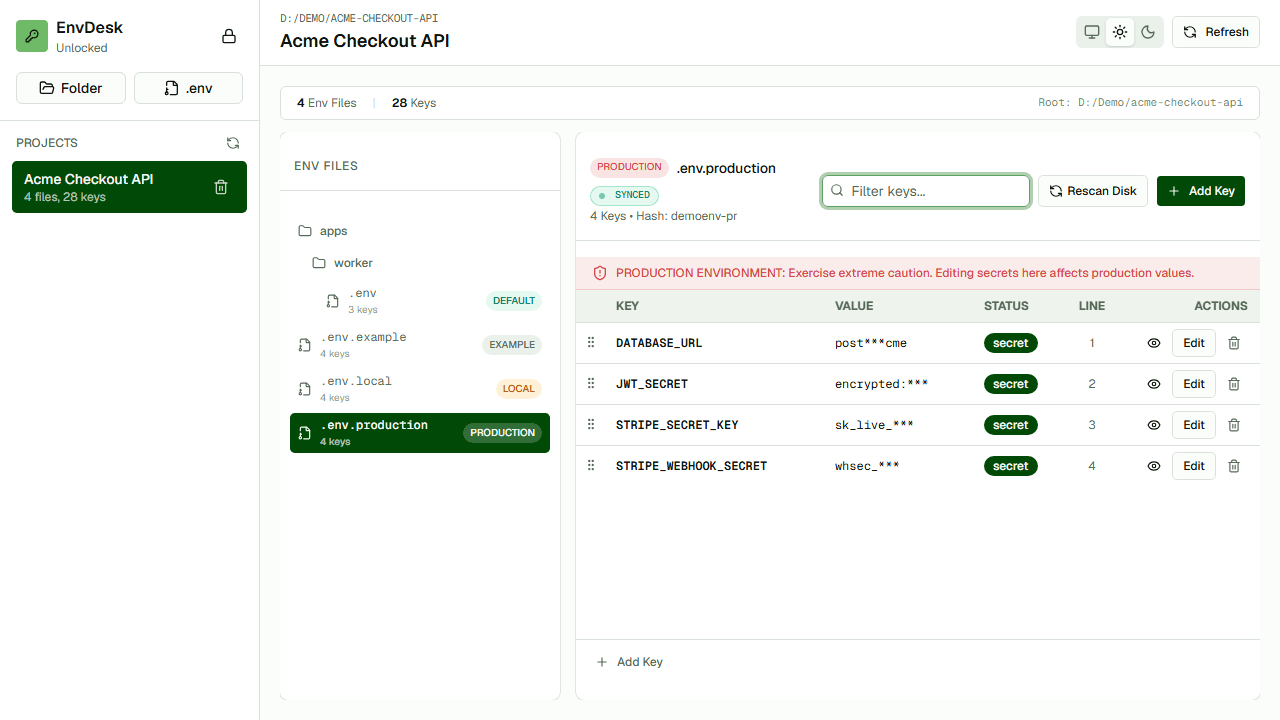
EnvDesk works with environment files stored on your computer. It provides a local desktop interface for browsing, comparing, editing, masking, and reviewing those files without requiring you to upload their contents to a hosted EnvDesk workspace or create a second cloud source of truth.
Files remain yours
Continue using the file-based workflow your projects already expect.
No hosted workspace
Core environment management does not require uploading values to an EnvDesk cloud account.
Clear boundary
Use EnvDesk locally and retain a dedicated secrets manager for production controls when needed.
How the workflow works
- 01Keep environment files in their existing project folders.
- 02Import paths into the EnvDesk desktop workspace.
- 03Inspect and compare with values masked by default.
- 04Review approved edits before they reach disk.
When it is useful
- Solo developers with many local projects
- Restricted development environments where values should remain local
- Teams that already use a separate production secrets system
Questions developers ask
Does EnvDesk upload environment variables?
The core EnvDesk workspace is designed to operate on local files without uploading their contents to a hosted EnvDesk workspace.
Does local-first mean production-safe?
No. Local storage still requires OS access controls, backups, careful version-control rules, and credential rotation after exposure.